ImageSmith / Product photography
AI product photography
Snap your product on the kitchen table. Get back a styled product shot or mockup: white background for your shop, or a lifestyle scene for ads and social posts.
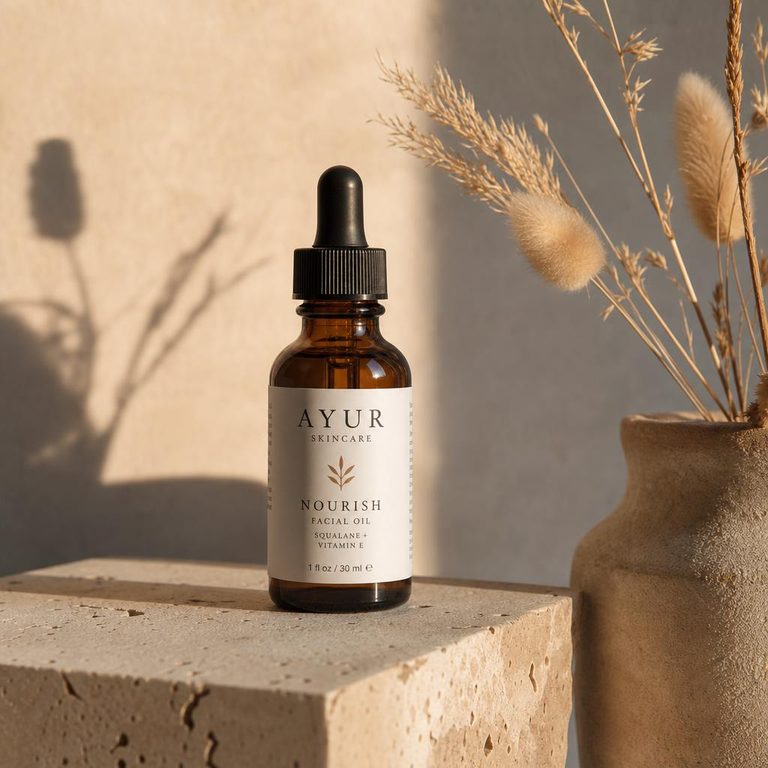
Light is the whole trick
Photographers talk about two things: where the light comes from and how big it is. Move the light and change its size to see how the shadow and mood change. The same words work in your AI prompt.
Large light from above: even and shadowless, the e-commerce "white background" look. Clear but flat. Add a reflector opposite for shape.
Say it in your prompt: "soft window light from the left, long gentle shadow" gets you the same result from the AI.
Start photo checklist
- Whole product in frame with a margin around it.
- Camera at the product's middle height, not looking down.
- Even daylight, flash off, no strong reflections on glossy parts.
- Label facing the camera and in focus.
- Plain, contrasting background (white paper works).
Marketplace image rules at a glance
| Where | Main image | Size |
|---|---|---|
| Amazon | Pure white (RGB 255,255,255), product fills ~85% | ≥ 1000 px long side |
| Etsy | Any, lifestyle welcome | ≥ 2000 px wide |
| Shopify | Theme dependent, square is safest | 2048 × 2048 |
| eBay | Plain background recommended | ≥ 500 px, 1600 ideal |
Check each marketplace's current seller guidelines before listing.
Questions people ask
How does AI product photography work?
Upload a clear photo of your product, even a phone shot on a kitchen table. The editing model keeps the product's shape, colors and label, and replaces the surroundings, lighting and shadows with the scene you describe.
Will the label and logo on my product stay accurate?
The prompt instructs the model to keep label text unchanged, and it usually does for large, clear text. Small print can blur or change, so zoom in before publishing, and don't use AI scenes for regulated labels such as ingredients or dosage.
Can I use AI product photos on Amazon or Shopify?
Lifestyle and secondary images, yes. Amazon's main image rules require a pure white background with the product filling about 85% of the frame, and the image must accurately show what the buyer receives. Use the "white background" style for main images and keep the product itself unedited.
What photo should I start from?
Shoot straight on at the product's middle height, in even daylight, with the whole product in frame and a little space around it. A plain background makes the cut-out cleaner.
Can I make mockups here too?
Yes. Describe the mockup scene, for example "the jar on a café shelf" or "the tote bag hanging on a hook in a sunlit hallway". For flat artwork such as a print or label design, upload the artwork and describe where it should appear.